Settings
Settings brings together the configuration of your organisation and of your account. It has up to three tabs, and which ones you see depends on your role. The home page (the Master data tab) is a panel of cards that leads to each catalogue.
The Master data tab and its cards are exclusive to the PM. Everyone else enters Settings only for their personal tabs.
Which tabs each role sees
| Tab | PM | Consultant/Developer | Organisation member (CEO) |
|---|---|---|---|
| Master data (this page) | Yes | No | No, unless they also have a PM account |
| Assistant | Yes | Yes | Yes (their account is a Consultant/Developer account) |
| Preferences | Yes | Yes | Yes |
The sentence under the title changes with the role: to the PM it says “Your organisation's master data, AI assistant configuration and preferences.”; to someone who has the assistant but is not a PM, “Your AI assistant configuration and preferences.”; and to someone without the assistant, “Your preferences.”.
How to get there: the PM has Settings in the top bar. Everyone else goes through their account menu (the name and role at the top right) → Settings, which opens Assistant or, if they do not have the assistant, Preferences. If someone who is not a PM opens /settings directly, the application redirects them to those tabs.
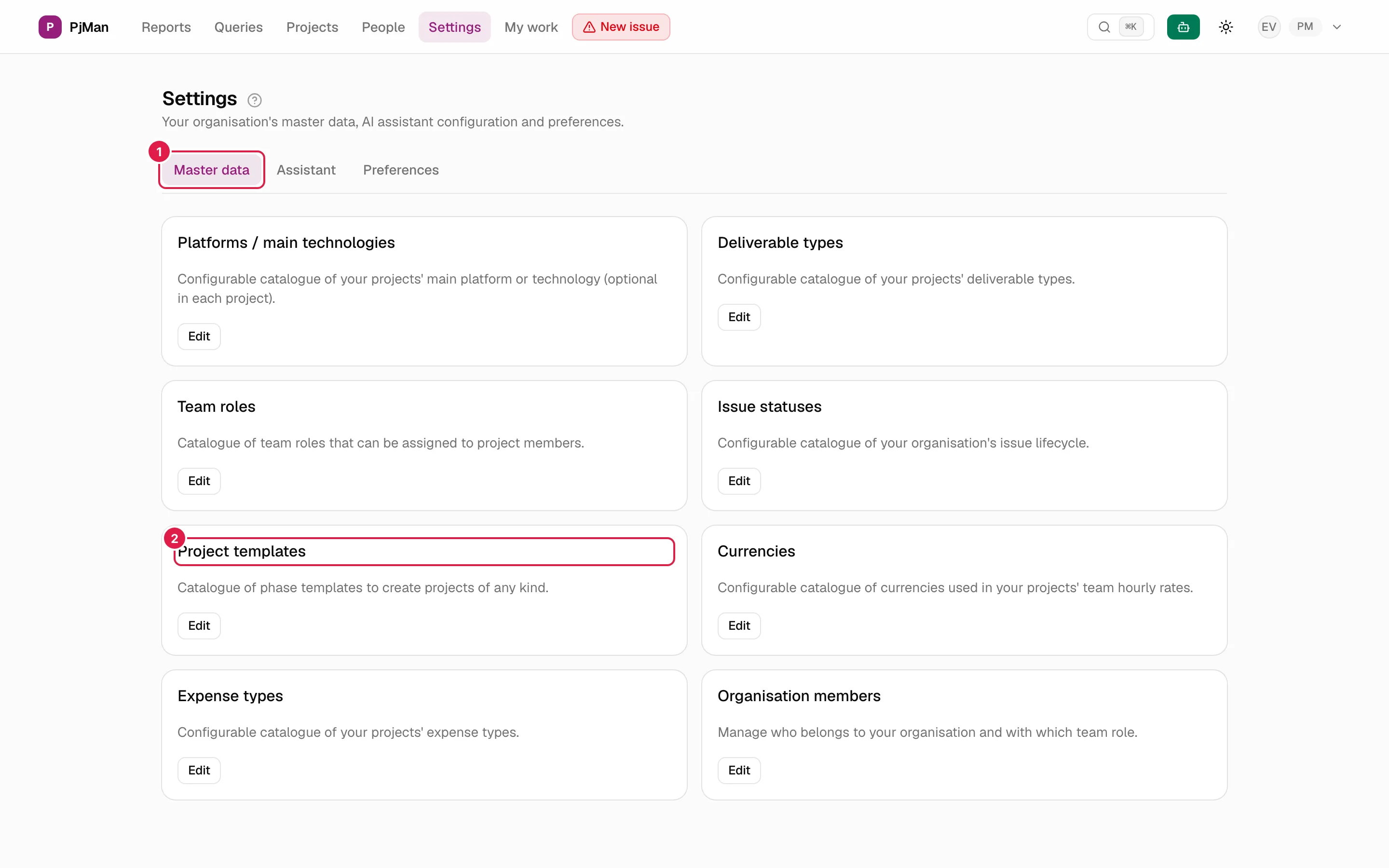
The Master data cards
Each card has a title, a description and an Edit button that opens the catalogue screen (it edits nothing by itself). Eight cards, in this order:
| Card | What it is for | More information |
|---|---|---|
| Platforms / main technologies | Configurable catalogue of your projects' main platform or technology (optional in each project). | Master data |
| Deliverable types | Configurable catalogue of your projects' deliverable types. | Master data |
| Team roles | Catalogue of team roles that can be assigned to project members. | Team roles |
| Issue statuses | Configurable catalogue of your organisation's issue lifecycle. | Master data |
| Project templates | Catalogue of phase templates to create projects of any kind. | Master data |
| Currencies | Configurable catalogue of currencies used in your projects' team hourly rates. | Master data |
| Expense types | Configurable catalogue of your projects' expense types. | Master data |
| Organisation members | Manage who belongs to your organisation and with which team role. | Organisation members |
All the catalogue screens have a Back link to this home page.
Assistant tab
Your own AI key, time zone, usage and options for the daily suggestions. It is explained in Your own Anthropic key.
Preferences tab
Application language and guided tour. See Language, theme, time zone and password.
Related topics
Updated 2026-10-08