Several organisations
With the same email and password you can belong to more than one organisation: for example, have your own as a PM and also be invited as a Consultant/Developer in a client's. Each membership is called a membership here and is completely independent of the others.
Anyone with an account. If you belong to only one organisation, you will see none of this.
How you end up in a second organisation
Always because another PM adds you, using your email, from:
- People (creation with an account or “Invite by email”, see People of the organisation),
- Settings → Organisation members (see Organisation members (CEO)).
If your email already has an account in another organisation, no email is sent: a new membership is created instantly in that PM's organisation, with the Consultant/Developer account role, and your original account is left untouched. The next time you open PjMan you will see the organisation switcher.
The organisation switcher
When you have more than one membership, a drop-down appears in the header, next to the account menu, with the name of the active organisation (Switch organisation for screen readers). When you open it you see each organisation with your account role in it (for example “PM” in yours and “Consultant/Developer” in the client's) and a tick on the active one. Choose another to switch.
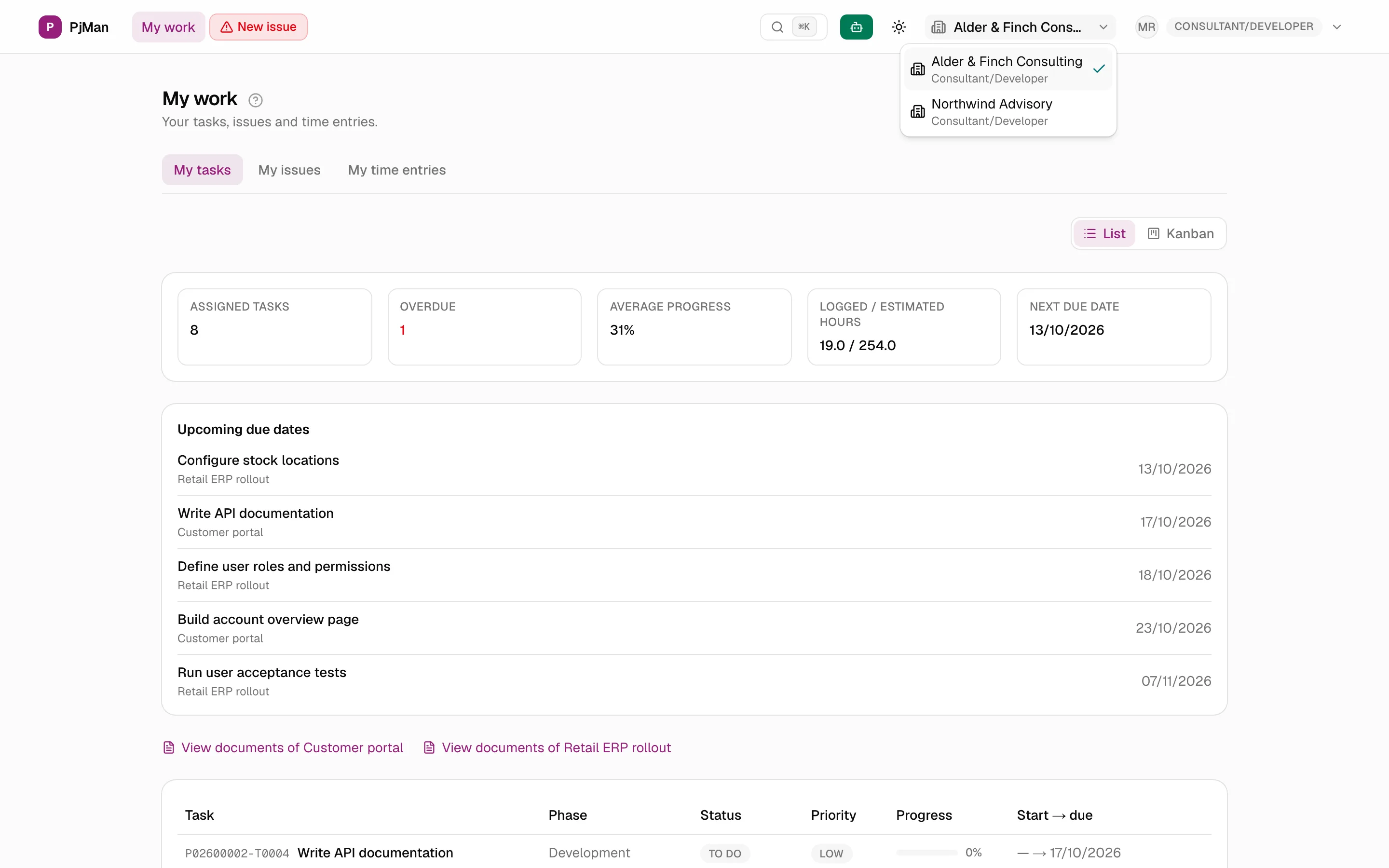
- The change is immediate and you stay on the same screen, which reloads with the data of the new organisation. If you were looking at something that does not exist there (a project, a task) you will see “Project not found.” or an access notice: use the menu to go to the screen you want.
- The chosen organisation is remembered in that browser for one year. If you have never chosen, or the chosen one no longer exists, the oldest is used.
- With a single organisation the drop-down is not shown.
What is independent in each organisation
| Thing | Behaviour |
|---|---|
| Data (projects, tasks, people, catalogues) | Never mixed: you see only the active organisation. |
| Account role | Per organisation: you can be a PM in one and a Consultant/Developer in another. |
| Team role and “whole organisation” member | Per organisation: being CEO in one gives you nothing in another. |
| Menu and home screen | Those of your role in the active organisation. |
| Name and email | Copied when you join and edited separately afterwards. |
| Anthropic key, time zone, tour and assistant preferences | Stored per membership. |
| Password and sign-in email | The same: it is a single account. |
Leaving an organisation
A PM can delete your membership from People → Delete (if you have no tasks, hours or data of your own, see People). Only that membership disappears: your account and your other organisations are untouched. You cannot delete your own membership.
Related topics
Updated 2026-10-08